
JCC 2026
IEEE Final Version
Presentation
This page contains instructions for authors of accepted articles in the international conference (SCCC), TICXED congress and workshops for preparing and uploading the Camera Ready version of thei manuscripts to be sent to IEEExplore (and consequenctly, SCOPUS). For the articles to be sent, each must be presented during the conference, andmust follow the IEEE format for publication in the IEEExplore portal. It is important to carefully follow the provided steps, which are detailed below:
- Step 1: Improve your article based on the comments received by reviewers.
- Step 2: Format the final version of your article based on IEEE style.
- Step 3: Generate a compatible PDF file for your article utilizing the PDF eXpress service.
- Step 4: Complete and sign the Copyright Form.
- Step 5: Upload the final version of your article.
- Step 6: Register in the conference.
It is required to complete all these steps and send your camera-ready version before August 31st, 2026 for your article to be sent to IEEExplore. Registration must be done as soon as possible. Every single one of these steps are detailed below.
Step 2 — Format the final version of your article based on IEEE style.
The formatting instructions provided in this section MUST be strictly followed for your article to be included in the proceedings and sent to IEEE.
The reference format for the final version of the article is the IEEE standard for conferences (Manuscript Templates for Conference Proceedings). Make sure to check and correct the format of your manuscript according to this template.
- Article must have double column, single space, letter sized (8.5″ x 11″).
- Caption of the figures must be centered below them.
- Caption of the tables must be centered above them.
- Utilize IEEE format for bibliographies.
- The article must be up to 8 pages long.
- Verify that the figures and tables have a high resolution and the text can be easily read. Articles with low-resolution figures might be rejected by IEEE.
- Do not add page numbering to your manuscript.
- Do not apply security configurations to your PDF manuscript.
- Only PDF files will be accepted (preferably generated by the IEEE PDF eXpress service).
- IMPORTANT: the copyright notice (ISBN + year + price + IEEE)
that goes in IEEE published articles MUST be added prior to the final upload. This can be done through the following LaTeX code before
\maketitle\IEEEoverridecommandlockouts \IEEEpubid{\makebox[\columnwidth]{979-8-3195-1296-3/26/\$31.00~\copyright2026 IEEE \hfill} \hspace{\columnsep}\makebox[\columnwidth]{ }}
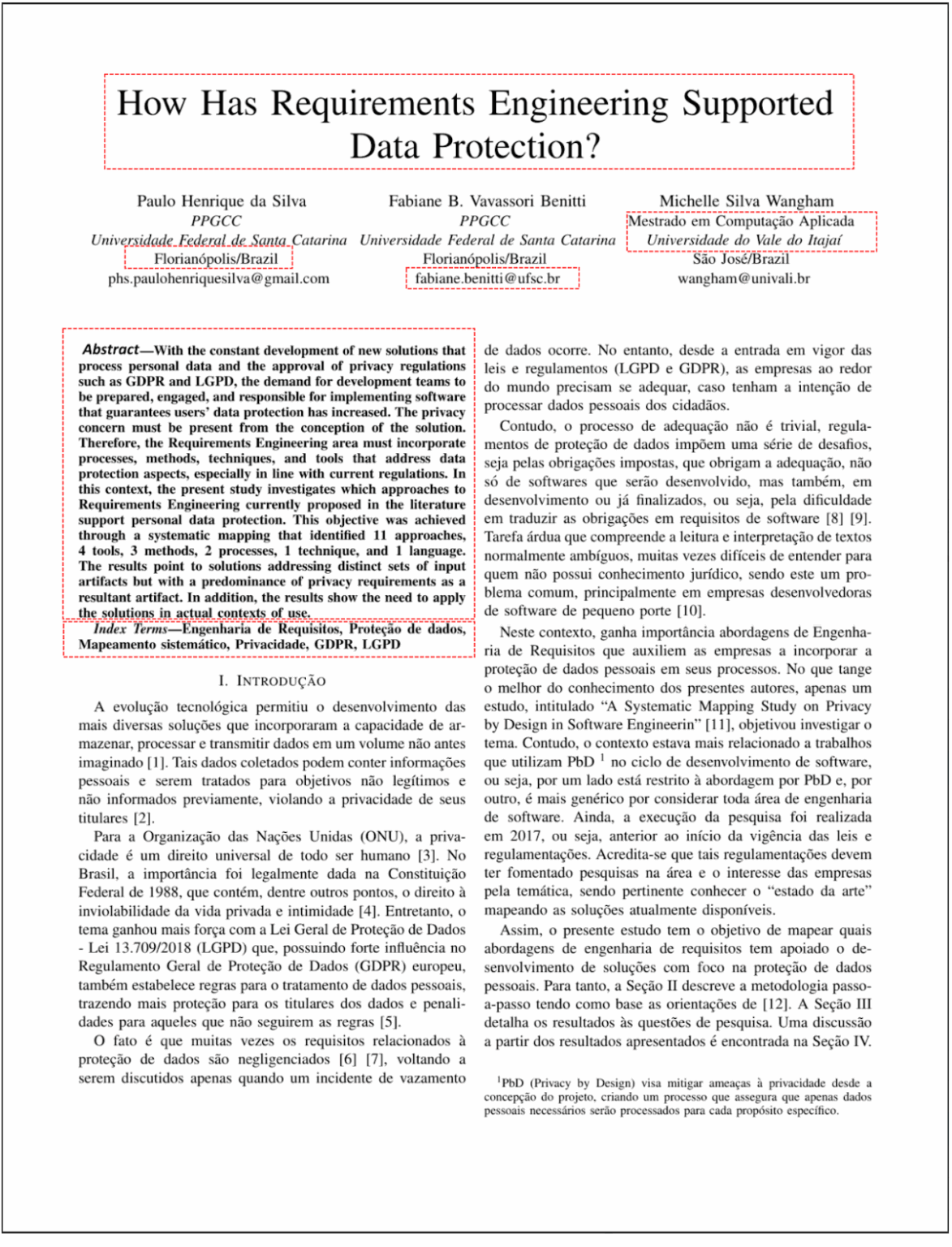
Articles must have a SINGLE title (in English), a SINGLE abstract (in English), and only ONE list of Index Terms (in English), even if the rest of the content of your article is written in another language. Do NOT add a second title, abstract or list of Index Terms in another language. Other common issues found in prior uploads are related to correct title, author, affiliation and abstract formatting. Please make sure to:
- Use uppercase in the title of the article (main words with uppercase first letter and minor words in lowercase).
- Author name must not be enumerated, do not include any numerated sequence when specifying author details.
- Authors with different affiliations must not be grouped in the same column, affiliation must include organization name, city, country, and e-mail or ORCID.
- Abstract must be in English and be a single paragraph. Do not subdivide by title.
- Index Terms must be in English.
Step 3 — Generate a compatible PDF file for your article utilizing the PDF eXpress service.
The camera ready version of the articles must be sent as a PDF compatible with IEEExplore. Even if you are able to generate a compatible PDF file with IEEExplore through other means, PDF eXpress must still be used to verify. PDF eXpress is a free service given to conferences which allows users to check, convert and verify compatible PDF files.
If you already have a PDF eXpress account, login through the following link, and utilize 71927X as the conference identifier. If you do not have a PDF eXpress account, follow the steps below:
- Go to the PDF eXpress webpage.
- Click on “Create account”
- Enter 71927X on the "Conference ID" field
- Enter your e-mail address and confirm
- Choose a Password
- Click on the “Submit” button to continue and enter the additional information required by the system. You will get an e-mail confirming your account has been successfully created.
Now that you have a PDF eXpress account, follow the instructions for each article to generate:
-
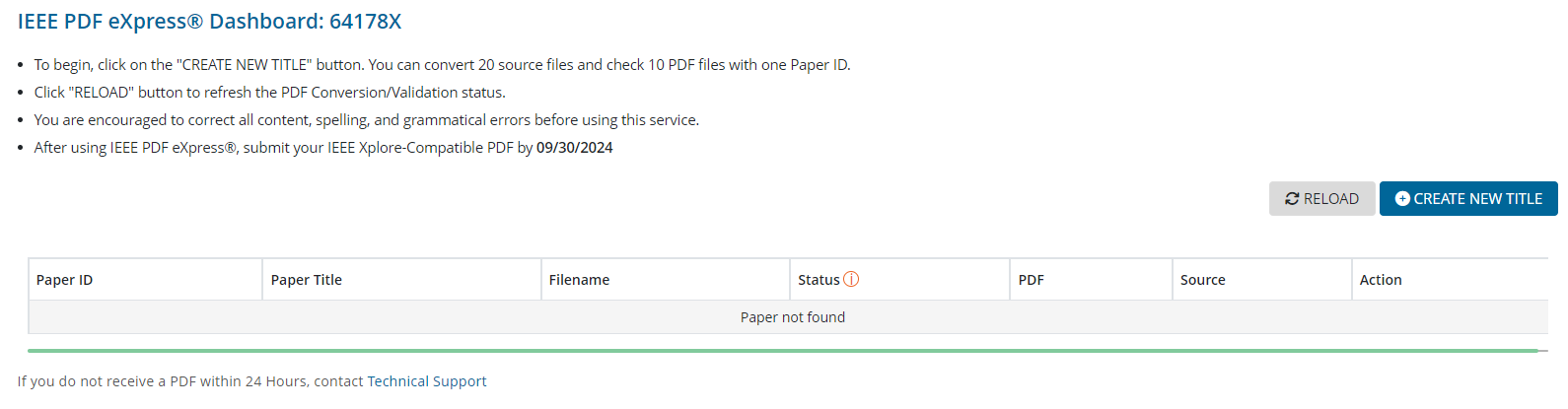
Enter the Dashboard and click on “Create New Title”
-
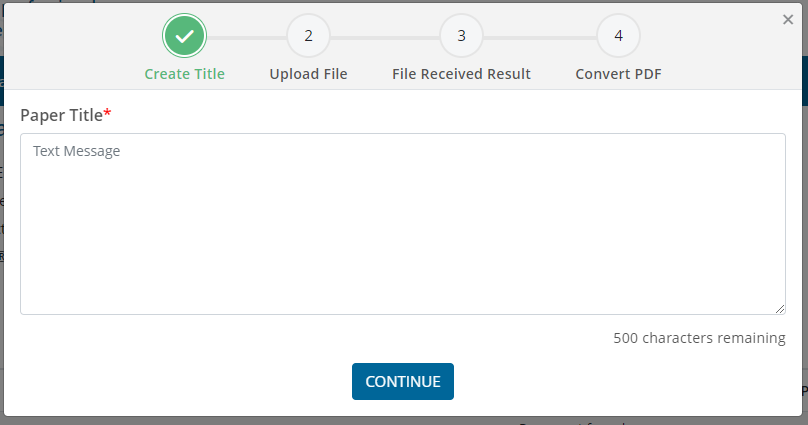
Enter a text that identifies your article, such as the Paper ID or the title.
-
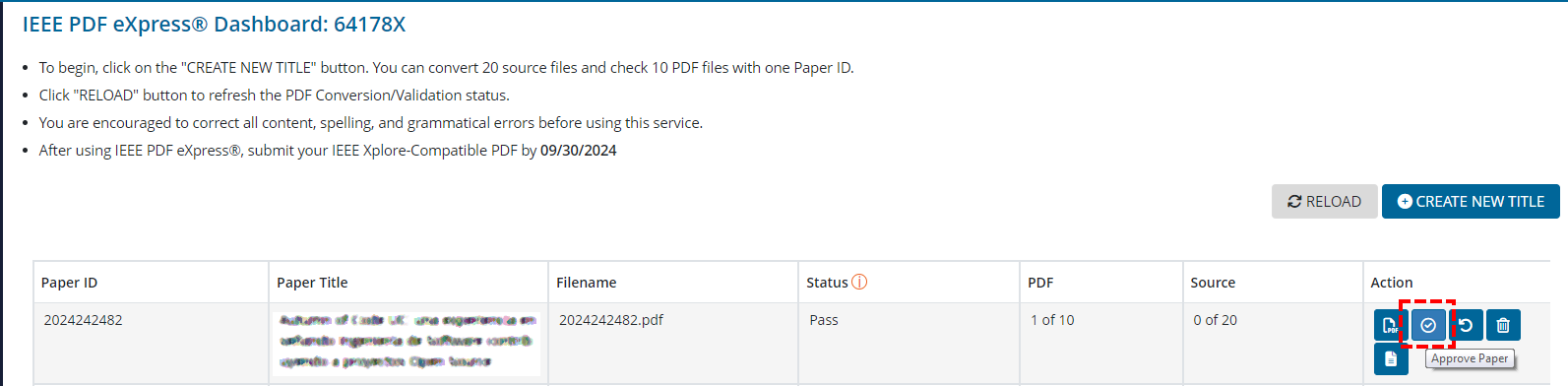
PDF eXpress will show a small table with a summary of the uploaded file. To convert or approve the article, check the icons on the right side. The first converts from Word or LaTeX to PDF. The second verifies the compatibility of the uploaded file. If you have a .doc file, you need to first convert your manuscript to a PDF. Otherwise, you need to verify.
-
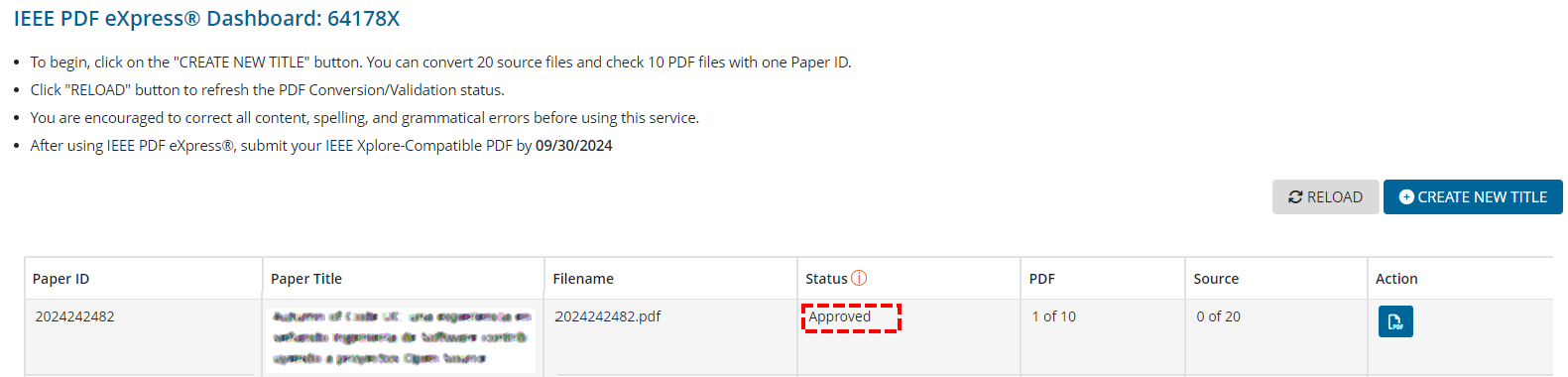
You will receive an e-mail with the verified file, or the converted PDF. If you used the verifying function, the e-mail will specify if your file is compatible or not. The camera ready version must be "Approved" by the platform.
Step 4 — Complete and sign the Copyright Form.
Another requirement for your article to be sent to IEEE is to sign the copyright form. For this, access Submit IEEE copyright form from the Author Console on Microsoft CMT.
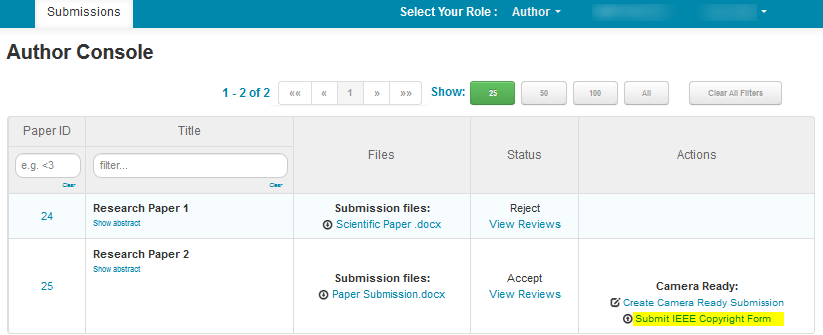 This will redirect you to the IEEE Copyright Form portal. Follow the instructions and complete it to return to the Author Console. Make sure to save a copy of the signed copyright form.
Once the Copyright Form has been signed, you need to upload a copy to the system.
This will redirect you to the IEEE Copyright Form portal. Follow the instructions and complete it to return to the Author Console. Make sure to save a copy of the signed copyright form.
Once the Copyright Form has been signed, you need to upload a copy to the system.
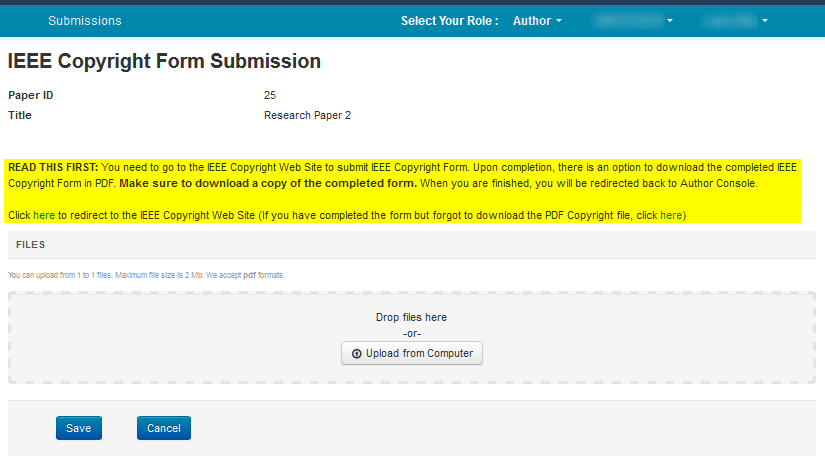
This will redirect you to the IEEE Copyright Form portal. Follow the instructions and complete it to return to the Author Console. Make sure to save a copy of the signed copyright form.
Once the Copyright Form has been signed, you need to upload a copy to the system.
Step 5 — Upload the final version of your article.
Before proceeding to sending your camera-ready article, make sure you did not add page numbering, and that your figures and tables have a high resolution. Additionally, verify that you used the IEEE format for bibliographies, and that the format of the article is letter sized (8.5″ x 11″). The accepted articles in any JCC tracks must have a single title, a single abstract and a single list of index terms, all in English.
Also, verify that your PDF complies with the IEEE style of formatting for IEEExplore. For this reason, you must use PDF eXpress to generate or verify the PDF file of your article (see Step 3). IEEExplore holds the right to not publish articles that are not compatible o that do not follow the format.
It is important to remember that one of the authors must present the article at the conference, otherwise the article will be published only on the JCC proceedings and not on IEEExplore.
Step 6 — Register in the conference..
Each article must have been sponsored by one of the authors for their publication in the proceedings. For the signing up process, an e-mail with instructons was sent. You can access the pricing details here.
The registration form identifies by Gmail. Authors can modify their answer once sent. Authors will also receive an e-mail confirming the registration.
It is important for the authors of every accepted article that they register before September 30th, 2026, and fill a form for every article sponsored.
For any questions, please send an e-mail to pagosjornadas26@utalca.cl